Organize and Launch Mobile Games Quickly with PlayZone
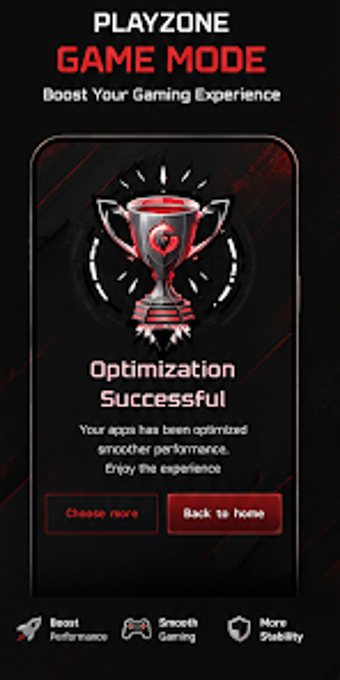
Experience PlayZone Game Mode by RLifes Technology Global, a compact Android utility that organizes installed games and centralizes access for mobile players. It collects installed titles into a single hub, provides a quick-access launcher and simplified game-list management to reduce app-drawer clutter and speed launching. The app pairs a clean, modern interface with a lightweight design and multiple language support, plus integrated gaming utilities. Android gamers seeking a simple, fast organizer for their library are the primary audience.
What does PlayZone do for an Android game library?
As a dedicated game organizer, PlayZone aggregates installed titles into a single hub and presents them with a simplified list for faster launching. Key functions include marking favorites, a quick-access launcher, and basic management controls that let users reorder or hide entries. The app also exposes integrated gaming utilities and supports multiple languages, so regional players can navigate the hub without switching system settings.
Does PlayZone slow down your device during a gaming session?
PlayZone emphasizes a lightweight footprint and is described as not consuming excessive system resources, so it functions as a passive launcher rather than a performance booster. The developer positions the app as minimal compared with complex game boosters, which reduces background load. Specific resource use varies by device and Android version, but available information presents the app as suitable for regular use without noticeable system slowdown on typical mobile hardware.
Is PlayZone safe to use on a primary device?
Available descriptions frame the app as a companion focused on organization and quick access, with no claims of system-level modifications. Reviews and notes highlight a simple, easy-to-use interface, implying minimal intrusion. The documentation does not list privileged operations or firmware-level tools, and the app's remit is managing installed games rather than modifying core system files. Users concerned about permissions should check install prompts on their device before granting access.
Do I need technical knowledge to operate PlayZone?
PlayZone is aimed at Android gamers who want straightforward management, so technical skill is not required. The app includes simple settings and configuration, a clear game list manager, and language options that reduce setup friction for non-technical users. Advanced users who expect performance tuning or deep system controls may find the app lightweight by design; the developer frames it as a management hub rather than a technical toolbox.
PlayZone is a practical option for library-focused gamers
PlayZone suits casual Android players who want tidy access to their installed games and a lightweight companion, based on the developer's emphasis on organization and a small footprint. The main trade-off is the absence of advanced performance tuning or system-level controls found in dedicated boosters. For anyone seeking a simple launcher and game manager, the app performs reliably within its stated scope.